

MindBuy

The app against impulse buying Buy with intention, not on impulse.

MindBuy helps you avoid impulse buys, plan purchases, manage cooldowns and keep your monthly budget in sight.

Free ยท no sign-up ยท for Android

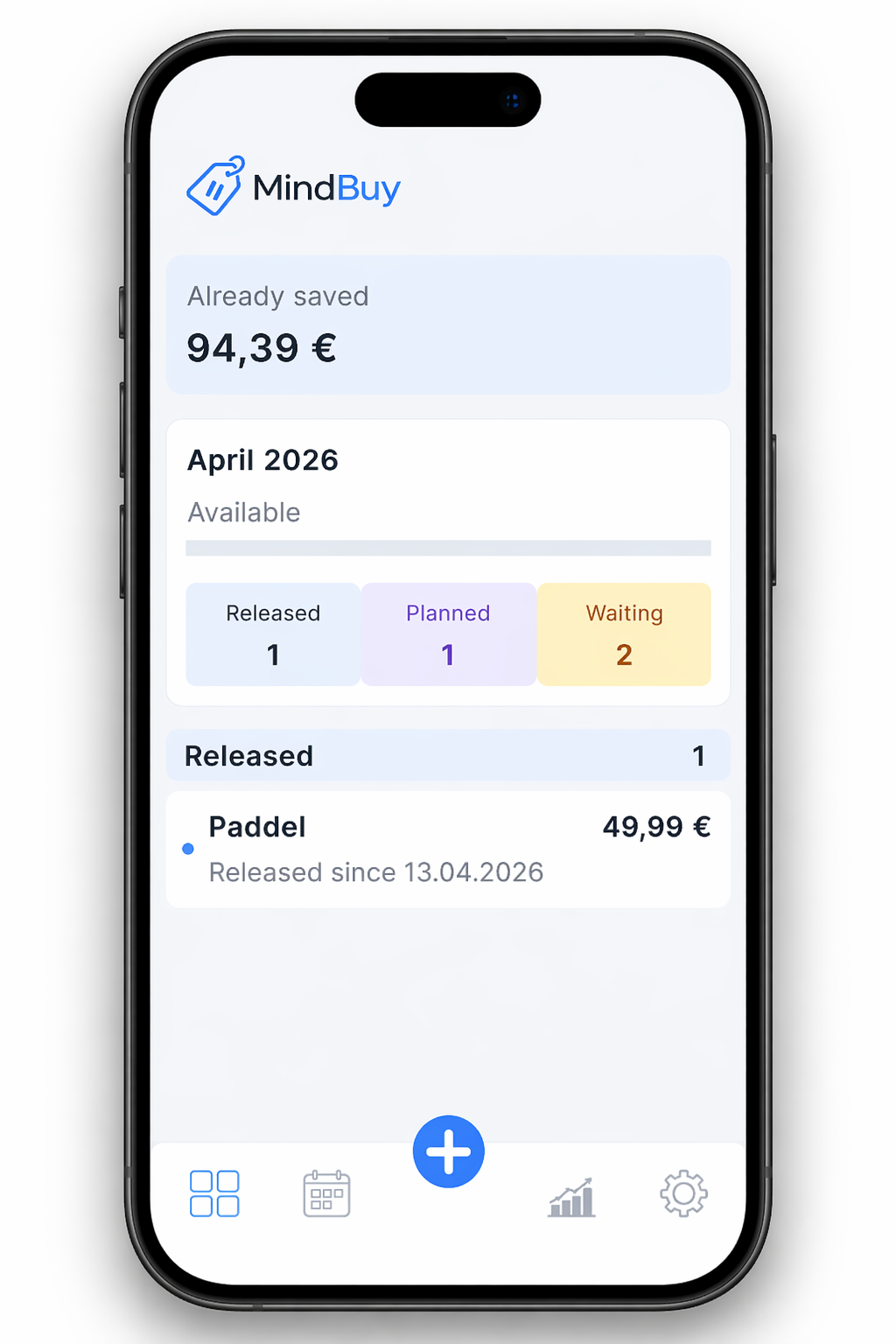
MindBuy dashboard with overview, budget and planned expenses

How MindBuy works

1

Add a wish

Add things you want to buy.

2

Wait & plan

MindBuy sets a cooldown and helps you plan ahead.

3

Decide with clarity

After the cooldown you decide with a clear head.

Your benefits

Cooldowns

Reduce impulse buys with smart waiting periods.

Planning

Plan future purchases and keep an overview.

Budget on track

Keep an eye on your monthly budget and spend with intention.

Statistics

Understand your spending and spot your patterns.

Clarity

Make better decisions and feel good about them.

Premium

More features. Even more control.

Plan mode, monthly budget, local backup and an ad-free experience โ€” all with a one-time purchase. No subscription.

  • Plan mode with a specific purchase date
  • Monthly budget
  • Local backup & export
  • Ad-free
Discover Premium

Buy mindfully, not on impulse

MindBuy is an Android app that helps you stop impulse buying without restraint, plan your wishes, and keep your monthly budget in view. Everything stays local on your device โ€” no account, no cloud sync, no tracking.

Stop impulse buying โ€” without sacrifice

Classic saving advice relies on bans: don't click, don't open, don't shop when frustrated. MindBuy flips that. Instead of resisting an impulse, you park the wish โ€” with a cooldown you set yourself. While it runs, the "buy" decision is blocked. When time is up, you decide calmly.

The effect: most impulse buys dissolve on their own once the acute craving has passed. You don't have to fight yourself โ€” you just postpone. What you really want stays. The rest disappears without a single "no" on your part.

More on the psychology of impulse buying โ†’

How the cooldown mechanic works

Every wish moves through four clear phases: added โ†’ blocked โ†’ released โ†’ decided. You enter a title, price and link; MindBuy starts a timer โ€” hours, days, or weeks, you choose. While the cooldown runs, you can view the item but not buy it.

When time is up, you get a reminder. Then you make a deliberate decision: buy, discard, park again, or (with Premium) schedule the purchase for a specific date. Discarded wishes count as saved money in your statistics โ€” you see not just what you didn't spend, but how much.

The 48-hour rule explained โ†’

Monthly budget at a glance โ€” no spreadsheet

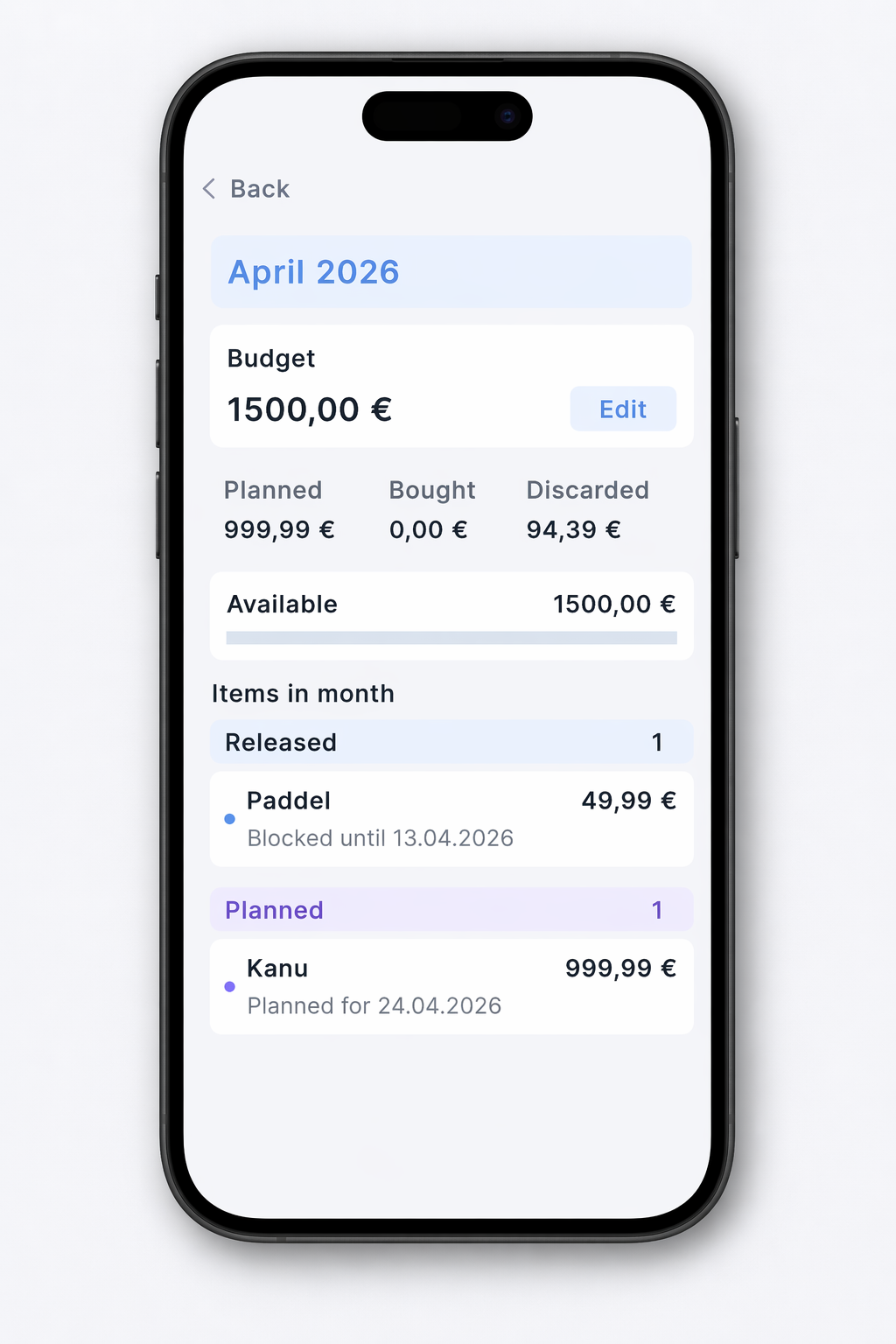
Premium extends the system with a monthly budget. You set an amount per calendar month and MindBuy shows how much is already planned, spent, or still free. Plan mode turns a wish list into actual spending planning: each planned purchase gets a specific date and slots into that month's plan.

Unlike classic expense trackers, MindBuy records only what actually matters โ€” planned and completed purchases from your wish list. No receipt splitting, no category maintenance.

Local, private, no account

Everything you enter in MindBuy โ€” wishes, notes, budgets, savings goals โ€” stays exclusively on your device. There is no cloud, no account, no tracking of your wish list. The app never asks for an email, password or phone number.

Ads in the free version are delivered via Google AdMob (a single full-screen ad on launch) but are completely separated from your content. When you move to a new device, the Premium backup feature exports your database and imports it on the new one โ€” wishes, budgets and notes are back instantly.

Full privacy policy โ†’

Quick answers

The most common questions before you give MindBuy a try.

What does MindBuy cost?

The core version is free. Premium is a one-time purchase, not a subscription. The current price varies slightly by country and is visible inside the app and in the Google Play Store.

Which devices does MindBuy run on?

Currently Android only (Android 7.0 or newer). An iOS version is in preparation โ€” we'll announce it when it's ready.

Do I need an account?

No. You install the app and start immediately. There is no sign-up, no account, no cloud sync. Your wish list stays entirely on your device.

How long should a cooldown be?

It depends on you and the price. Rule of thumb: small amounts 24 hours, mid-range 48โ€“72 hours, larger purchases a week or more. MindBuy lets you set the cooldown freely.

Is my wish list or purchase history shared?

No. Everything stays local on your device โ€” wish list, notes, budgets, purchases. There is no server collecting this data and no profiling.

Does MindBuy work offline?

Yes, almost entirely. Only the automatic import of a product link (e.g. from your browser or Amazon) needs a short internet connection to read title and price.

Get MindBuy โ€“ free

No sign-up, no subscription โ€“ your data stays on your device.

Free ยท no sign-up ยท for Android

MindBuy

Free ยท no sign-up ยท for Android

Get it on Google Play